Blog
Product
Introducing the New Cogent Action Queue: Remediation Operations Built for How Teams Actually Work
Scanning found the problems. Now Cogent closes the gap with automated ticket routing, ownership resolution, and scan-verified closure.
4 min read

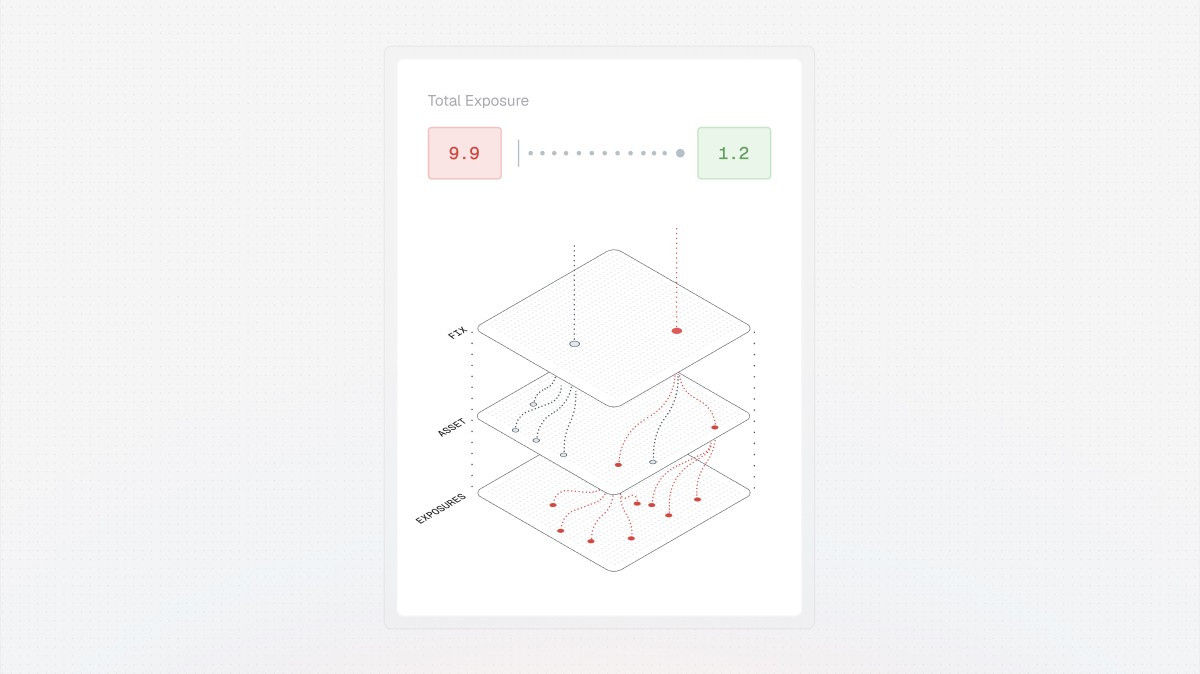
Vulnerability management has a well-understood front half: scan your environment, aggregate findings from multiple sources, score and prioritize what matters. What comes after is often where VM programs break down.
After prioritization, someone on the security team has to figure out which engineer owns the affected system. They create a Jira ticket manually, guess at the right project and assignee, write up remediation instructions from scratch, and then follow up by email or Slack when the ticket goes stale. When the engineer marks it done, the security team takes their word for it. If the fix didn't actually work (a patch that failed silently, a configuration change that didn't propagate), nobody finds out until the next audit or, worse, the next breach.
This is the remediation gap: the space between knowing what's wrong and proving it's been fixed. Spreadsheets, manual ticket creation, and ad hoc follow-up have been the default operating model for most organizations, and they don't scale.
The new Cogent Action Queue closes that gap. It improves the product's remediation operations surface, configurable to how each customer actually runs their program.
Work Items: the new unit of remediation
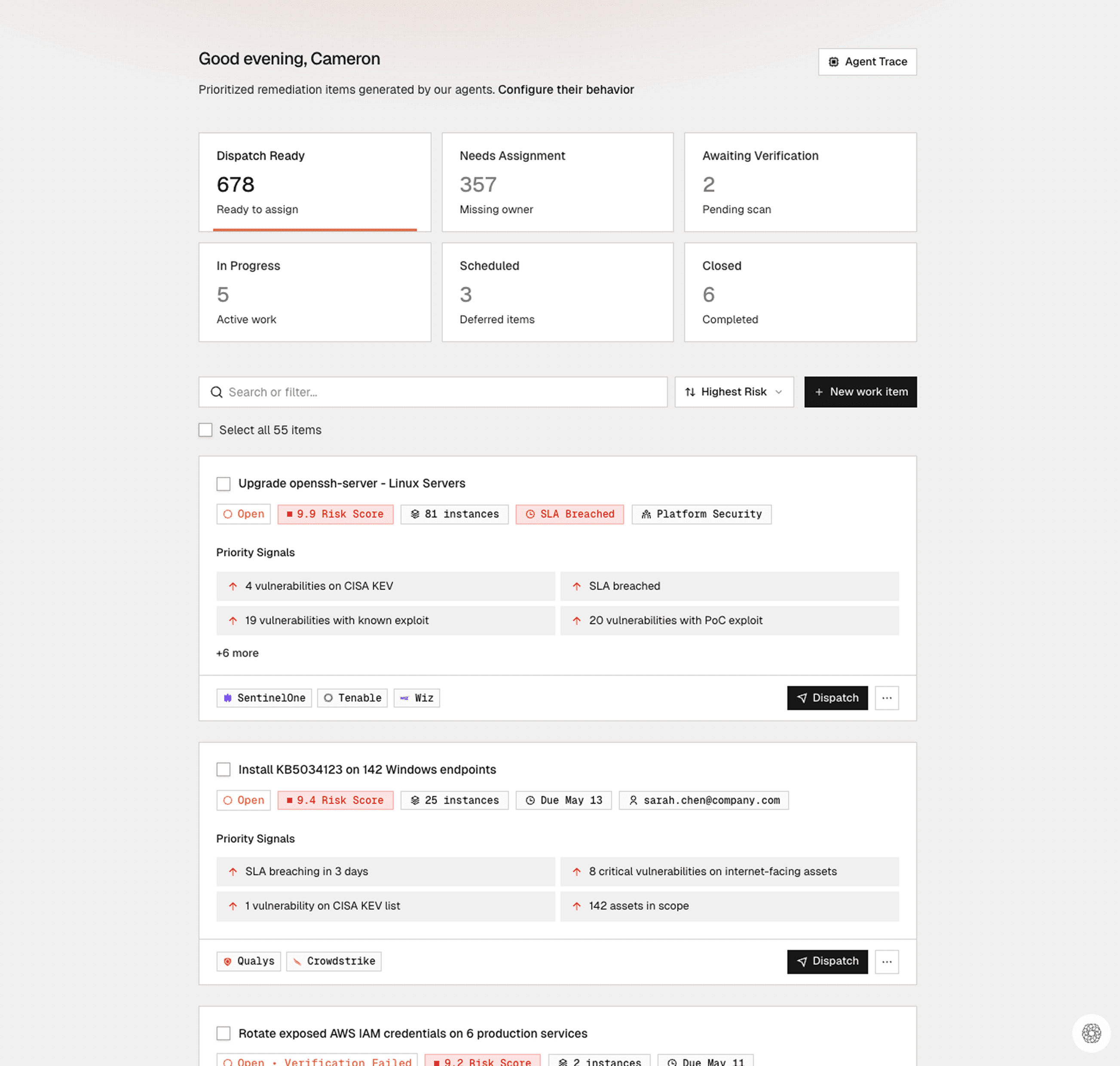
The most important concept in this release is the Work Item. Scanners report individual CVEs. Engineers don't fix individual CVEs. They install a KB patch on a set of servers, upgrade a package across a group of services, or rebuild a container image with a patched base layer. A single remediation action often resolves dozens of vulnerability instances at once.
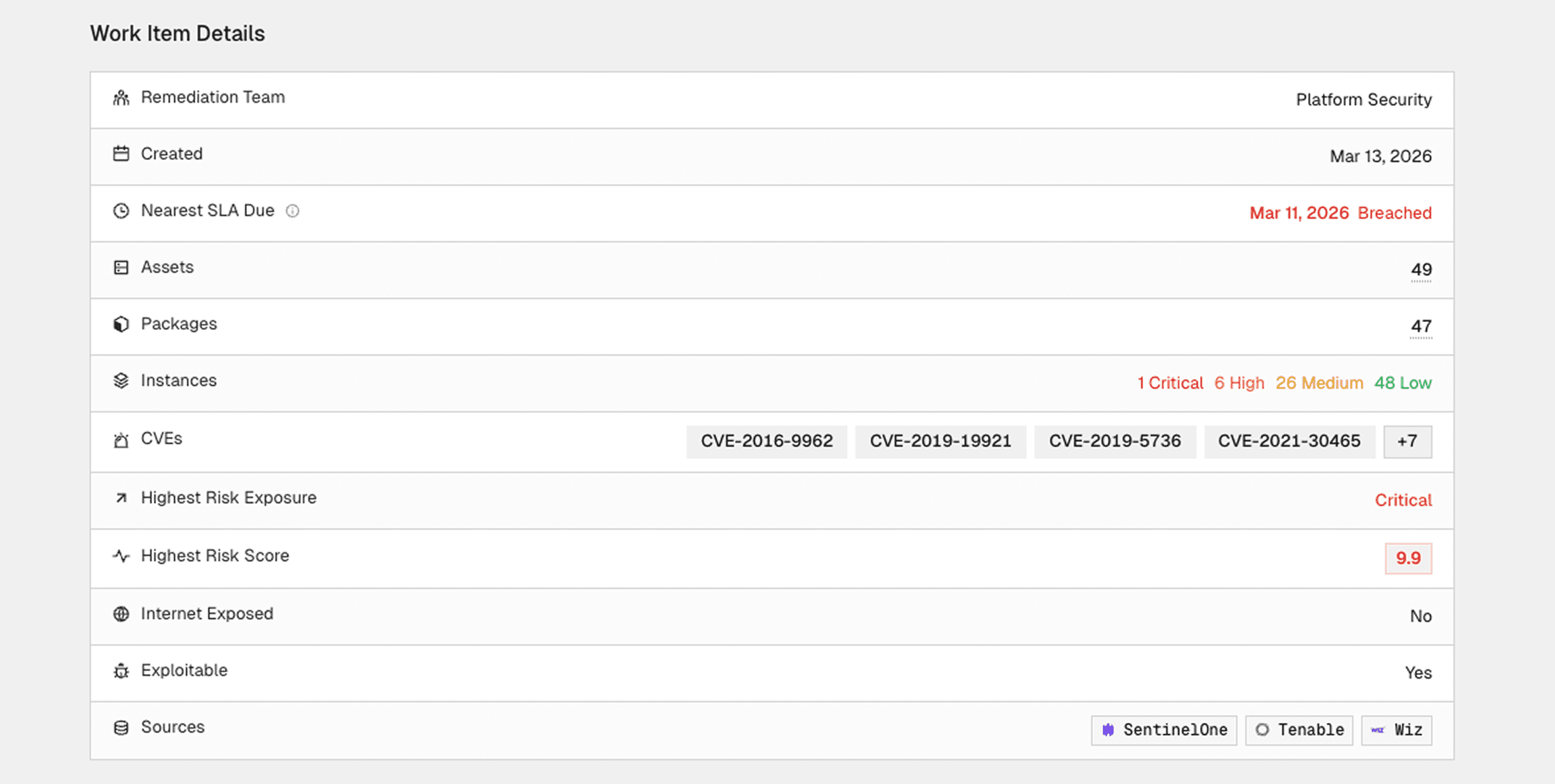
Work Items match this reality. Cogent groups related findings by their shared remediation action, scopes the affected assets, resolves ownership, and packages everything into a unit an engineer can execute without additional research. Each Work Item carries a clear remediation instruction, the specific servers or services in scope, full risk context (including exploitability signals, SLA status, and business criticality), and an explanation of why this work qualified for the queue.
This distinction matters operationally. Instead of presenting a list of 25 CVEs and expecting an engineer to figure out what to do, Cogent generates a Work Item that says "install KB5034441 on these 40 servers," with a single owner and a single tracking unit.
Per-team views instead of a single backlog
Enterprise security programs don't have one remediation team. They have Windows patching teams, cloud infrastructure teams, application security teams, sometimes broken out further by business unit or region. A single org-wide vulnerability backlog creates noise for everyone. The cloud team doesn't need to see endpoint patching tasks, and vice versa.
The Action Queue now gives each remediation owner a scoped view showing only the Work Items assigned to their team, ranked by risk. Central security gets a daily operating view across all teams with visibility into new work, escalations, and blocked items. A dedicated Needs Attention view surfaces everything requiring intervention: verification failures, rejected Jira tickets, unowned items, and expired exceptions.
Ticketing integration with bidirectional sync
Work Items dispatch directly into ticketing systems like Jira and ServiceNow with the remediation instruction, scoped assets, risk context, and assignee populated automatically. Engineers never need to log into Cogent. The ticket lands in their project with everything they need to act.
When an engineer moves the Jira ticket to "In Progress," the Work Item updates in Cogent. When they mark it complete, the Work Item advances to validation. If a ticket gets rejected or canceled, the Work Item surfaces in the Needs Attention view with the cancellation reason so central security can reassign, grant an exception, or escalate. Status reconciliation between systems is fully automated.
Scan-based verified closure
Verified closure changes how security teams report progress to leadership. In most programs, "fixed" means an engineer closed a ticket. It doesn't mean the vulnerability is gone. Patches fail silently. Deployments miss servers. Configuration changes don't propagate to all environments.
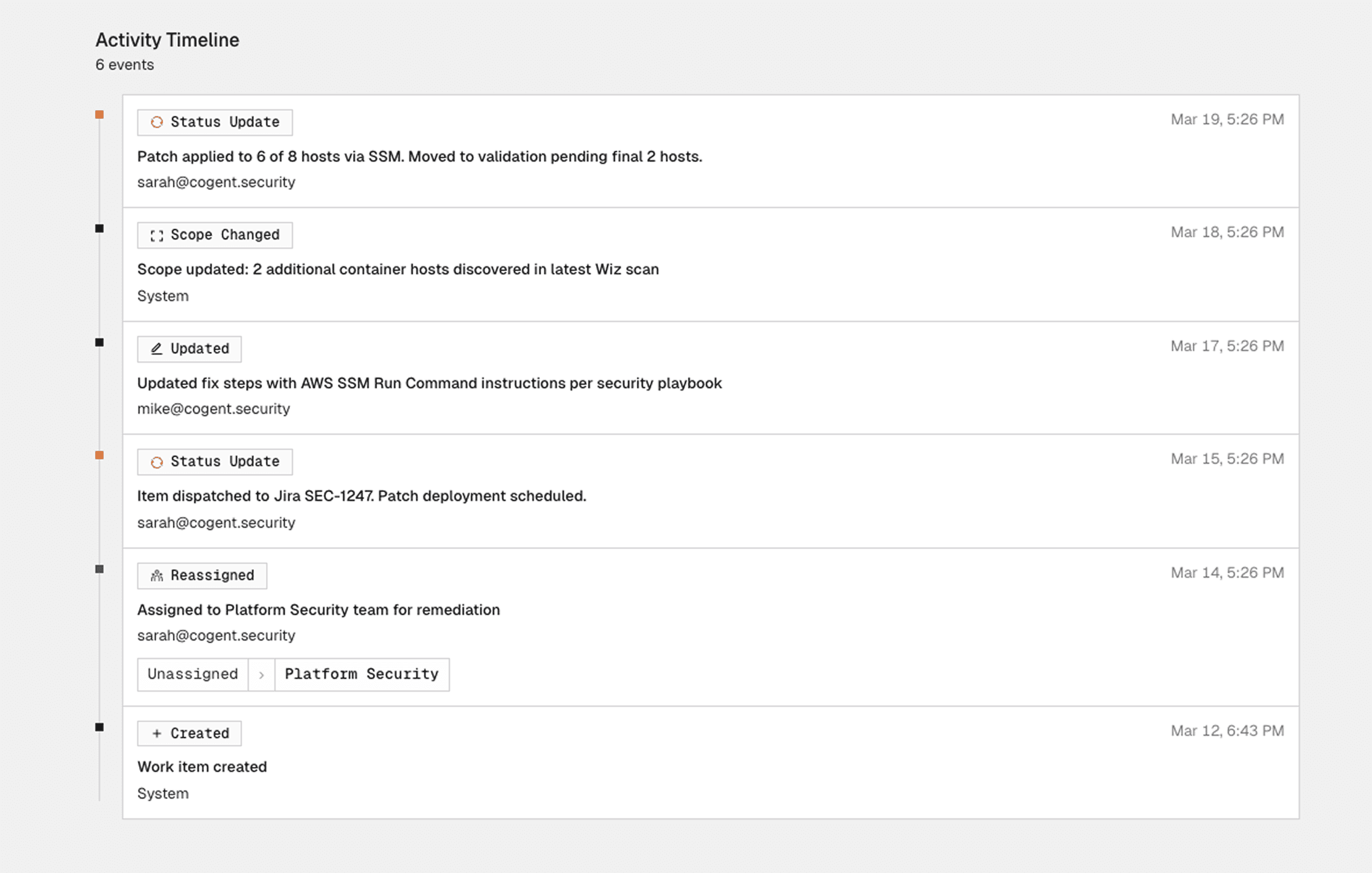
Cogent doesn't close a Work Item when the Jira ticket is resolved. It waits for the next scan to confirm the fix actually worked across all scoped assets. If the vulnerability is still present, Cogent automatically reopens the Work Item and flags it for investigation. If the scan confirms the exposures are cleared, the Work Item closes as "Verified," backed by scan evidence.
This shifts reporting from ticket counts to verified risk reduction, a fundamentally different conversation with auditors, boards, and executive leadership.
Remediation profiles: configured to your operating model
Every organization has its own remediation reality. Some prioritize internet-facing assets above everything else. Others are driven by compliance timelines or route work by Jira project. Some cap Work Items at 25 assets because their change management process can't handle more. Others want everything consolidated.
Remediation profiles are where customers encode these decisions. During onboarding, Cogent walks through a structured process to capture eligibility rules, ownership and routing logic, grouping preferences, SLA policies, exception handling, and dispatch settings. Cogent then applies this configuration continuously as new vulnerability data comes in. Profiles are versioned and can be updated as needs evolve, with changes previewable before they take effect.
Manual Work Items and ad hoc remediation
Remediation work doesn't all come from scanners. Penetration tests, threat intelligence, and audit findings all generate tasks that security teams used to track in spreadsheets or email threads, disconnected from the broader program. Teams can now create custom Work Items for these scenarios, with the same lifecycle as auto-generated ones: single owner, clear instruction, Jira dispatch, and scan-based verification where applicable.