Blog
Product
Introducing Risk Exceptions: Structured Risk Acceptance at Enterprise Scale
Risk acceptance and false positive decisions, recorded once and respected everywhere your team works in Cogent.
4 min read


Every vulnerability management program has an exception problem. Scanners generate thousands of findings, and security teams quickly learn that a meaningful percentage of those findings don't require immediate remediation. A legacy system is being decommissioned in 60 days. A vendor hasn't released a patch yet. A scanner is flagging a package that isn't actually present in production. These are real situations that happen every scan cycle, and they all require the same thing: a documented decision to accept the risk or mark the finding as invalid.
Most teams track these decisions in a spreadsheet. Some use Jira ticket comments or Slack threads. A few have built internal tooling. And all of them run into the same set of problems. The spreadsheet drifts out of sync with the actual environment within days. Findings that have already been reviewed keep showing up in work queues. Dashboards inflate the organization's risk posture with items nobody intends to fix. New team members can't find prior decisions, so the same debates happen again every scan cycle. And when audit time comes, reconstructing who accepted what risk, when, and why becomes an exercise in digital archaeology.
We built Risk Exceptions to solve this.
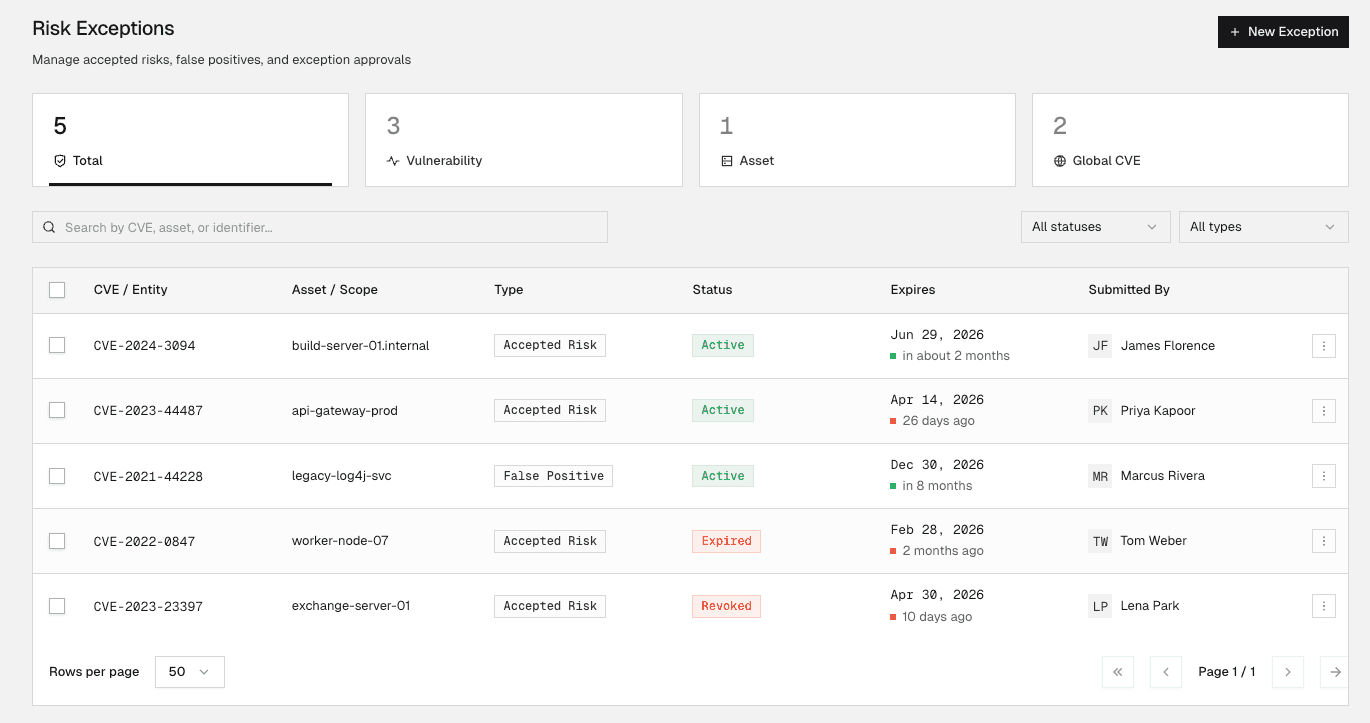
A single place for every exception decision
Risk Exceptions is a dedicated registry in Cogent where security teams create, manage, and track every risk acceptance and false positive decision the organization makes. Each exception carries a full activity history, showing who created it, who edited it, when the expiry was extended, and why the reason category was changed. The registry replaces the scattered collection of spreadsheets, ticket comments, and Slack messages that most teams currently rely on.
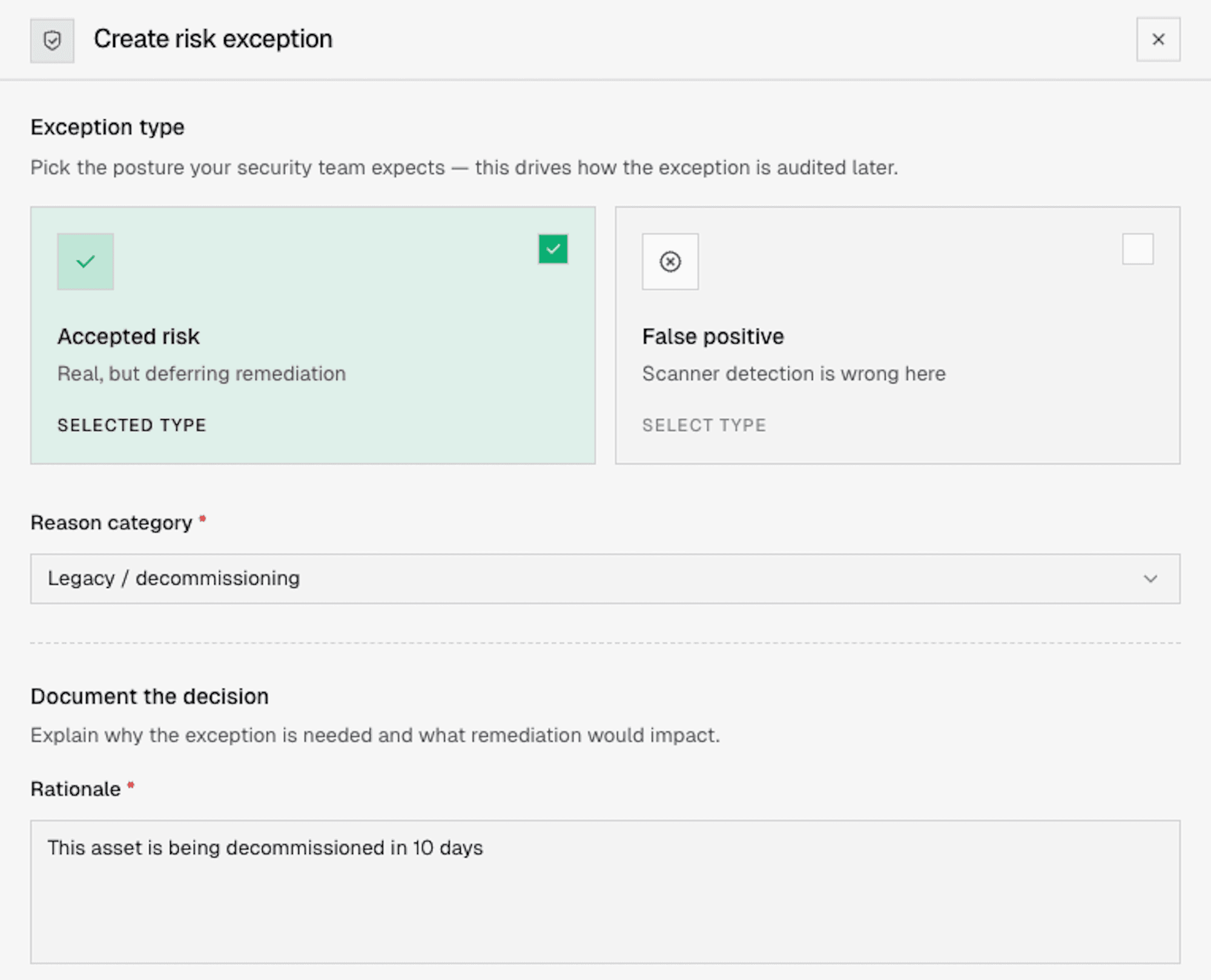
Two distinct exception types reflect the two fundamentally different decisions teams make. An Accepted Risk means the vulnerability is real, but the organization is intentionally choosing not to remediate it right now, whether because of operational impact, a pending maintenance window, compensating controls, or a system headed for decommission. A False Positive means the finding is inaccurate for this environment. The scanner got it wrong. Keeping these separate matters for compliance and audit: an auditor reviewing risk posture needs to distinguish between "we know about 200 vulnerabilities and have accepted the risk on 40 of them" and "our scanner flagged 200 things but 40 of them aren't real."
Scoped to match how decisions actually get made
Exception decisions are rarely one-finding-at-a-time affairs. When a team decides to accept risk on a legacy system, they want to accept it for everything on that system, not individually for each of the 47 CVEs the scanner found. When a particular CVE is a false positive because of an environment-wide configuration, they want to mark it globally, not on each of the 300 assets where it was detected.
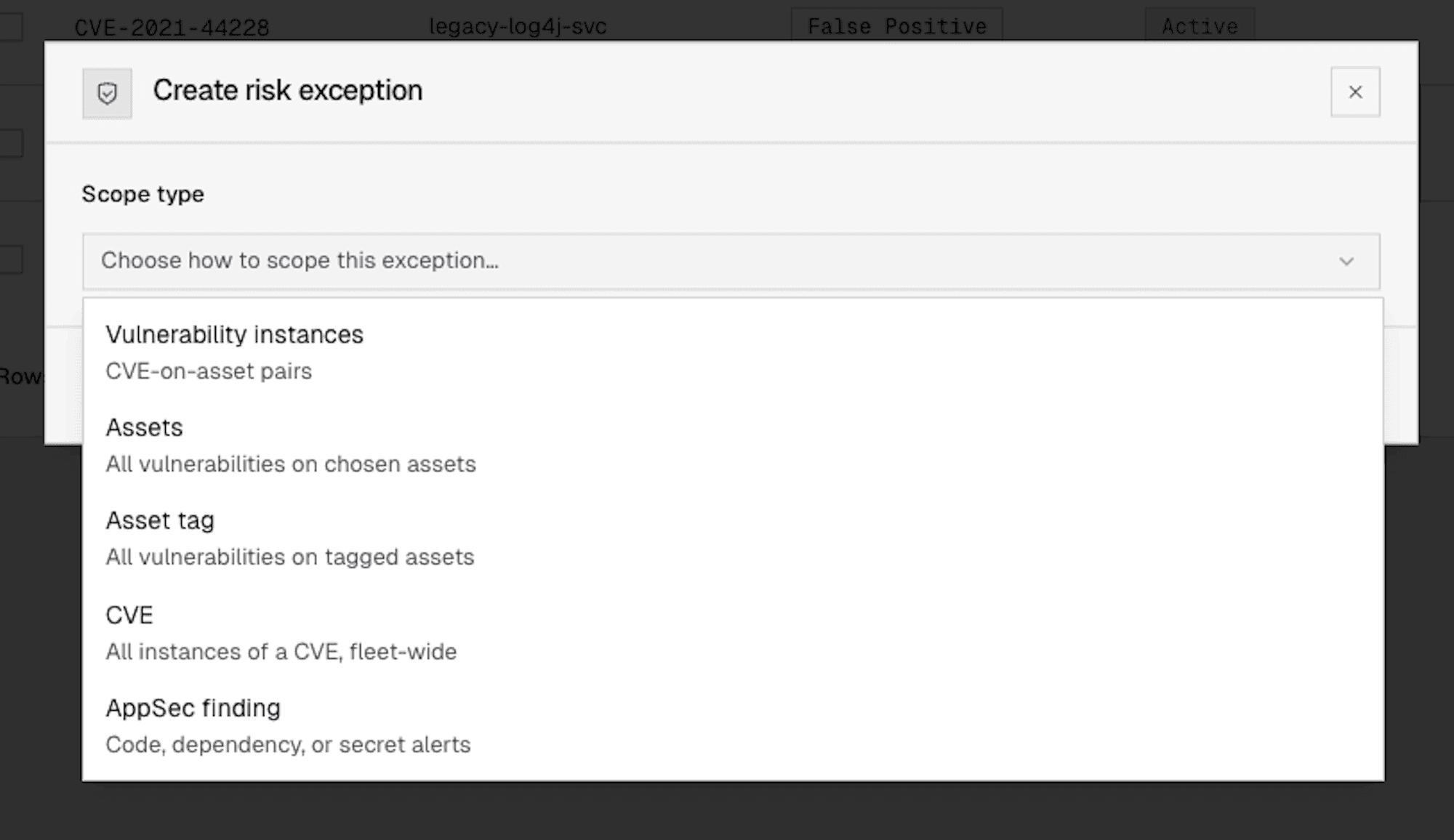
Risk Exceptions supports four levels of scope: a specific vulnerability instance on a specific asset, all findings on a given asset, all assets matching a specific asset tag, or a CVE applied globally across the entire environment. Asset tag scoping is dynamic. If new assets enter the tag group, they're automatically covered. If assets leave, they're not. Scope counts in the registry update in real time to reflect current applicability.
Bulk workflows round out the operational picture. Teams can apply, revoke, extend, or edit exceptions across multi-select sets or filtered results in a single operation. A quarterly exception review where the security team needs to extend 50 valid exceptions by 90 days is one action, not 50.
Consistency across every Cogent surface
The core design principle behind Risk Exceptions is that a decision made once should be respected everywhere in the platform. When a team marks a finding as accepted risk or false positive, that decision carries across Knowledge Base, Action Queue, dashboards, SLA and MTTR reporting, and General Agent. Excepted findings are excluded from default work views and metrics. Engineers see only the work they're actually expected to fix. Leadership sees actual remaining actionable risk. MTTR calculations reflect real remediation performance, not time spent waiting on intentionally deferred items.
This consistency extends to Cogent's AI agent. General Agent has full access to exception status, type, reason category, expiry, and history for every vulnerability instance. When a customer asks "what are my top priorities?", excepted items won't be recommended as remediation work. When they ask "what have we accepted risk on?", the agent surfaces the relevant details. The AI respects the organization's decisions rather than treating every open finding as something to chase.
Automatic expiry prevents forgotten deferrals
Time-bound exceptions automatically expire when their date passes. Covered findings return to default work views, dashboards, and metrics without any manual intervention. The expired exception remains in the registry with a full audit trail, and the team can make a fresh decision: extend the exception if the original circumstances still apply, or begin remediation if they've changed.
This built-in review cycle replaces the "calendar reminder to check the spreadsheet" pattern that most teams rely on today. The registry's default sorting puts active exceptions with the nearest expiry dates first, so teams can see what's coming up for review and handle renewals in bulk.
Bring your existing exceptions with you
No team starting with a new platform has a blank slate. Organizations have years of prior risk acceptance and false positive determinations tracked in other tools or spreadsheets. Risk Exceptions supports CSV import so customers can bring their existing exception portfolio into Cogent during onboarding. Imported exceptions behave like natively created ones, carrying across every Cogent surface from day one. Teams get clean work queues and accurate dashboards immediately, without having to reconstruct months or years of prior decisions.