Blog
Product
What's New in Cogent: Work Item Creation in the General Agent, a Refreshed UI, and New Integrations
The General Agent now creates and manages Work Items in conversation. Plus a refreshed UI, redesigned dashboards, and twelve integrations.
5 min read


New capabilities Cogent just shipped narrow the distance between finding a problem and dispatching the fix. The biggest change is that the General Agent can now create and manage remediation work items directly, without analysts leaving the conversation to open the Action Queue. Default dashboards have been redesigned and gain a new Remediation tab. Saved views are now available across dashboards. And twelve new integrations expand what Cogent ingests across endpoint management and application security.
Work Item creation from the General Agent
The General Agent can now view existing Work Items and create new ones from inside the conversation where the analyst is already working. Fields come pre-populated from the discussion, leaving the analyst to review and confirm.
Files uploaded to the agent flow through as context for Action Queue operations, so a vendor advisory or scanner export shared mid-conversation can inform the Work Items created from it. Before any new Work Item gets created, the agent surfaces existing ones that already cover the same findings. When findings need to be re-routed or escalated, the agent moves them between Work Items cleanly, closes out any left empty, and preserves the full audit trail.
Redesigned default dashboards
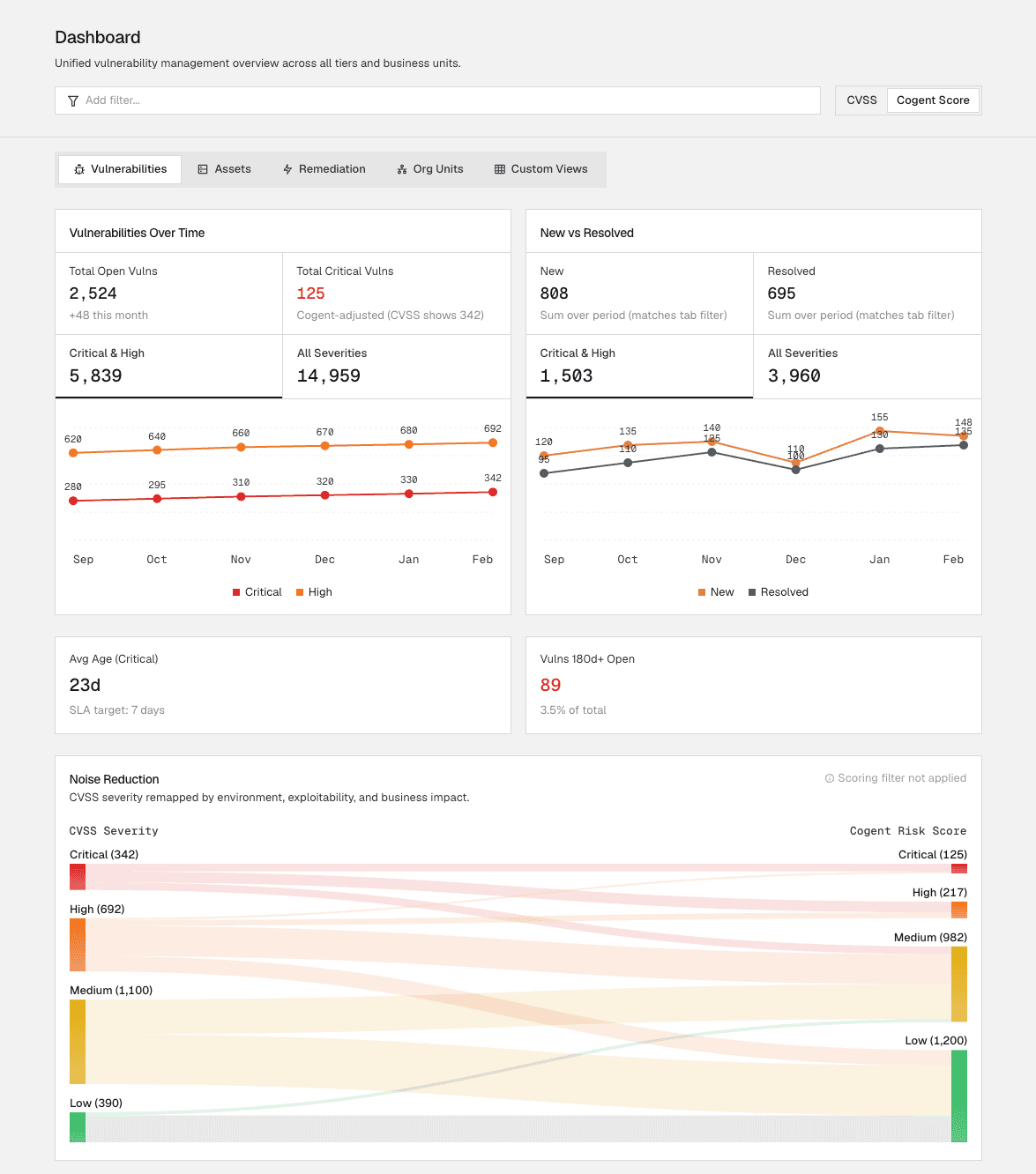
Cogent's default dashboards have been rebuilt around the questions security leaders actually need to answer: where risk is concentrated, how the program is performing, what needs executive attention. A new Remediation tab joins the existing Vulnerabilities, Assets, and Org Units (Ownership) views, and backend optimizations make the dashboard experience noticeably faster on large environments.
Saved views
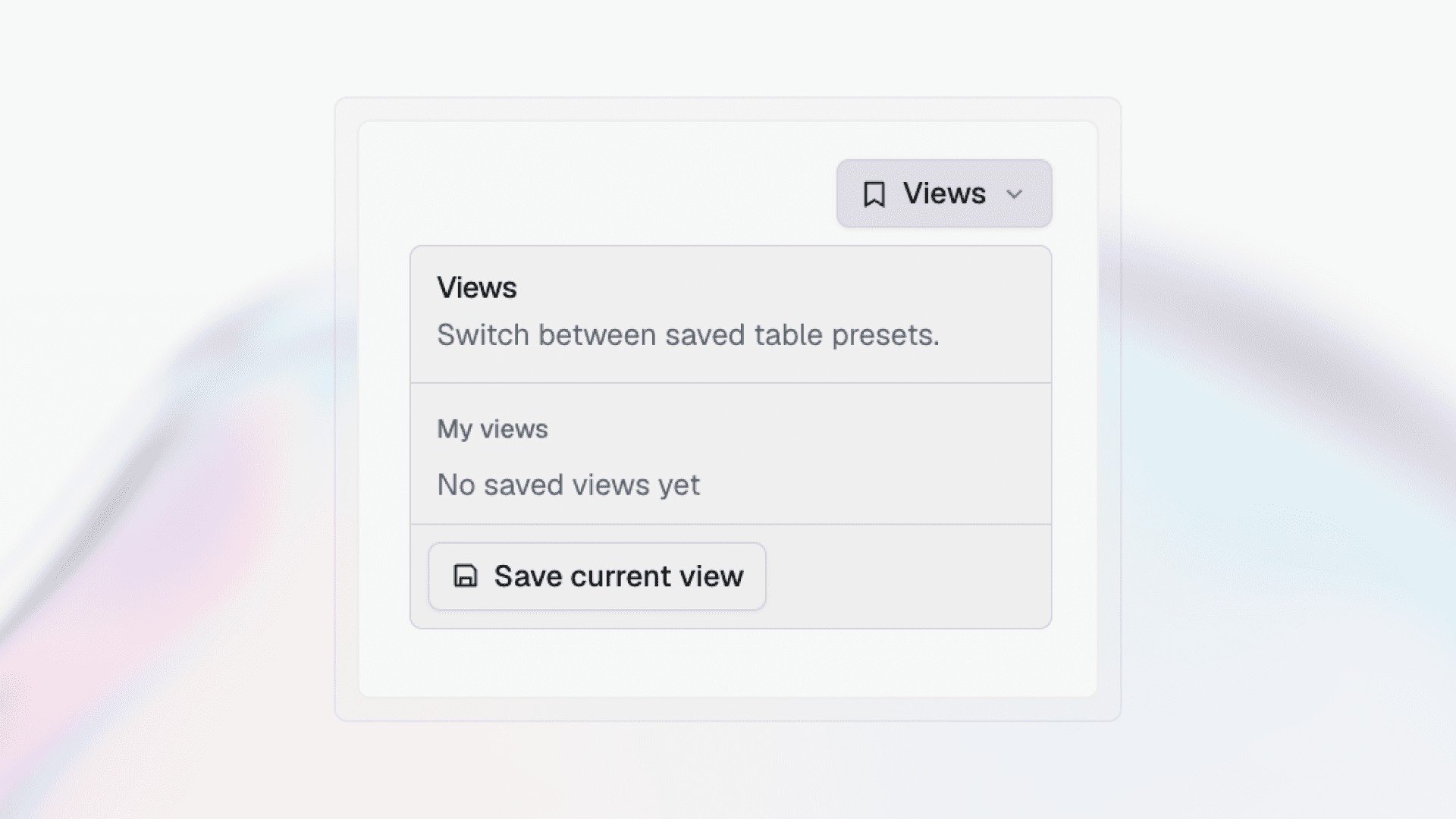
Any combination of filters on a dashboard can now be saved as a named view and switched between in a single click. For analysts who toggle between standard slices of their environment (internet-facing assets with critical findings, a business unit's backlog, anything matching an emerging CVE), this removes the daily ritual of rebuilding views from scratch.
A refreshed experience across the product
A new interface is rolling out across Cogent, spanning Knowledge Bases, the Dashboard, the Action Queue, and other surfaces customers use every day. Knowledge Bases get a refreshed layout with a new keyword search alongside the existing filters. The Dashboard surfaces the most important information more clearly. The Action Queue makes triage faster. Existing workflows, data, and settings remain unchanged.
Twelve new integrations
Microsoft Intune. Cogent now ingests managed device inventory from Intune via Microsoft Graph, including compliance state, encryption status, owner type, configuration profiles, and detected applications. Devices managed by Intune get a dedicated detail view, and a new coverage-gap finding flags any endpoint Cogent sees from another source that isn't enrolled.
Veracode. All four Veracode scan types (SAST, DAST, SCA, and manual pen test findings) flow into Cogent under a single application profile. Mitigation state from Veracode carries through to suppress ticket churn, and findings verified by human pen testers carry a verified badge.
Snyk. Snyk's four scan domains (Code, Open Source, Container, and IaC) flow into Cogent. Findings carry a Scan Type attribute and dedupe with other SCA sources like Dependabot, Endor Labs, and BlackDuck. Container findings get a dedicated detail page with base image, distro, and layer context. Snyk Enterprise tier is required.
ServiceNow CMDB. This integration allows Cogent to access asset inventory, configuration items (CIs), and relationship data from ServiceNow CMDB to enhance vulnerability management with comprehensive asset context.
Palo Alto Prisma Cloud. Cogent ingests findings from across the Prisma Cloud CNAPP surface including CSPM misconfigurations, CWP host and container vulnerabilities, IaC scan results, and CIEM identity risks under a unified cloud asset profile. Cloud vulnerabilities dedupe with other SCA and container sources.
Palo Alto Threat Vault. Cogent enriches vulnerability findings with Threat Vault intelligence, including exploit availability, in-the-wild exploitation signals, associated malware families, and IPS signature coverage. This context surfaces on the finding detail view and feeds prioritization.
Axonius. Cogent uses the Axonius integration to ingest asset inventory and asset context such as hostnames, IP addresses, MAC addresses, operating system details, tags, labels, adapter data, and last-seen timestamps.
Checkmarx One. Cogent ingests Checkmarx One application security findings including SAST and SCA to correlate code vulnerabilities and vulnerable dependencies with your broader asset and risk context.
Microsoft Defender EASM. This integration allows Cogent to ingest discovered assets and their metadata to enrich vulnerability management with external exposure context.
BlackDuck. This integration allows Cogent to access open source vulnerability data and software composition analysis results from BlackDuck to enhance vulnerability management with software supply chain security context.
Orca. This integration allows Cogent to ingest cloud security findings, compliance data, and asset information from Orca to provide unified visibility across your cloud security posture.
Semgrep. Semgrep integration allows Cogent to ingest application security and static code analysis findings. Cogent also ingests Semgrep project metadata so findings can be associated with the repositories or projects where they were detected.